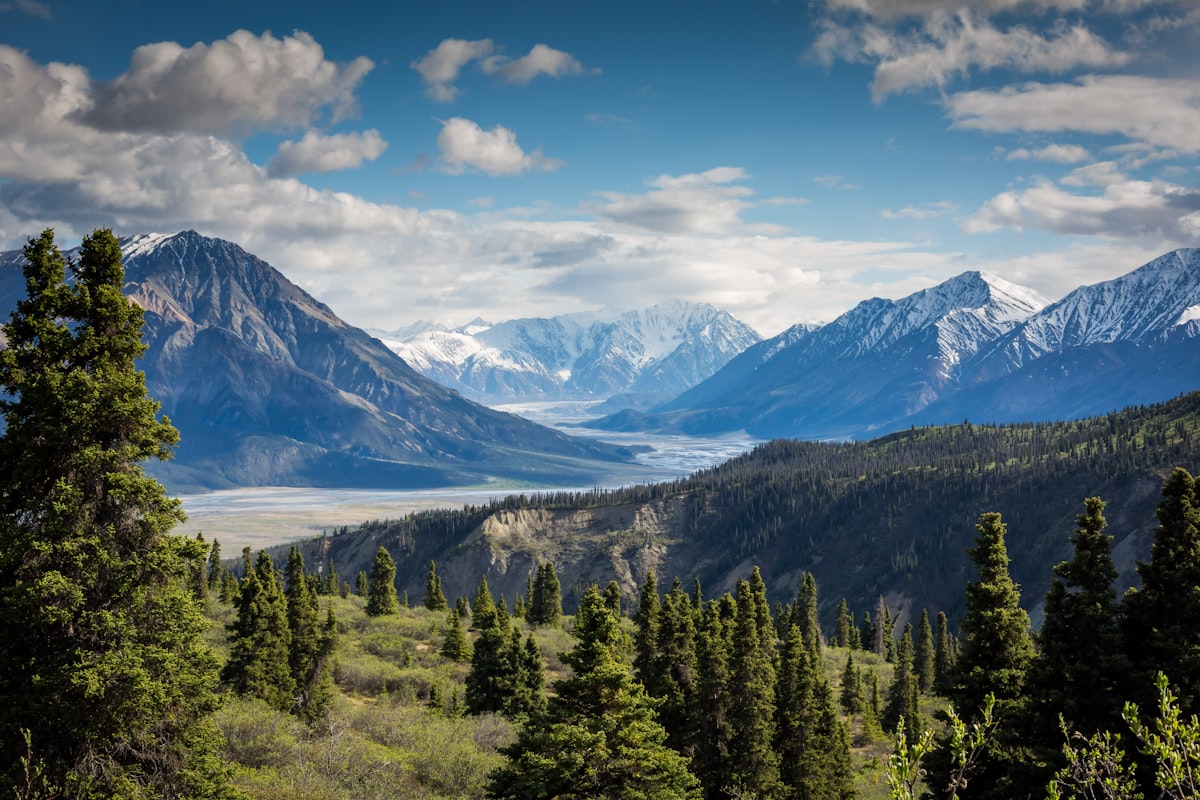
Single-row panoramas stitch a horizontal sweep into a wide image. Multi-row panoramas go further — stitching a grid of images that covers both horizontal and vertical space. The result is an image with massive resolution, full coverage of the scene, and creative possibilities that single exposures can’t match.
Why Multi-Row Panoramas
Resolution
A single frame from a 45-megapixel camera gives you 45 megapixels. A 4x6 grid of overlapping frames from the same camera, stitched together, can produce an image exceeding 500 megapixels. This resolution supports prints measured in feet, not inches, with no visible pixels.
Wider Apertures, More Detail
Instead of shooting at f/16 with a 16mm lens (where diffraction softens the image), you can shoot at f/5.6 with a 50mm lens and stitch the frames together. The wider aperture avoids diffraction, and the longer focal length captures more detail per frame. The stitched result covers the same field of view as the 16mm shot but with dramatically higher image quality.
Shallow Depth of Field in Landscapes
Multi-row panos with telephoto lenses produce a unique effect: the wide-angle field of view combined with telephoto depth of field characteristics. The background blurs in a way that’s impossible with a single wide-angle exposure. This creates landscape images with a large-format film aesthetic.
Planning the Grid
Before shooting, calculate your grid:
Field of view. Determine the total horizontal and vertical angles you want to capture. A standard wide landscape might be 120 degrees horizontal by 60 degrees vertical.
Overlap. Each frame should overlap its neighbors by 30-40%. This overlap gives the stitching software enough matching detail to align frames accurately. Too little overlap causes stitching failures. Too much wastes time and storage.
Frame count. Divide the total field of view by the frame’s field of view minus overlap. For a 50mm lens on full frame (40-degree horizontal field of view) with 35% overlap: effective coverage per frame is 26 degrees. A 120-degree sweep requires about 5 frames per row. Three rows for 60 degrees vertical. Total: 15 frames.
Shooting order. Shoot systematically — left to right across the bottom row, right to left across the middle row, left to right across the top row. This serpentine pattern is faster than returning to the left edge for each row.
Shooting Technique
Use a Panoramic Head
A panoramic head rotates the camera around the lens’s nodal point (the optical center where light rays converge). Rotating around any other point causes parallax error — foreground and background elements shift relative to each other between frames, making stitching impossible.
Budget option: find your lens’s nodal point by trial and error, mark it, and mount the camera so that point sits over the tripod’s rotation axis. Not as precise as a dedicated pano head, but workable.
Lock Everything
Manual exposure. Meter the scene, choose settings, and lock them. Changing exposure between frames creates visible brightness bands in the stitched result.
Manual focus. Focus on the hyperfocal distance for your chosen aperture and don’t touch it again. Autofocus will refocus for each frame, causing inconsistent sharpness.
Manual white balance. Auto WB shifts between frames based on content, creating color inconsistency in the stitch.
Shoot in Portrait Orientation
Rotating the camera to portrait orientation gives you more vertical coverage per frame, meaning fewer rows needed for the same vertical angle. It also provides better overlap in the vertical dimension.
Include Extra Frames
Shoot one extra frame beyond your planned grid on every edge. Stitching software crops the irregular edges of the merged panorama, and that extra frame ensures you don’t lose important content to the crop.
Stitching Software
Adobe Lightroom / Camera Raw
File > Merge > Panorama in Lightroom handles multi-row stitches competently. The “Spherical” projection mode works best for multi-row panoramas. “Cylindrical” is better for single-row horizontal sweeps.
PTGui
The gold standard for panoramic stitching. PTGui handles complex multi-row grids, offers multiple projection options, and provides manual control point editing for frames that fail to align automatically. If you’re serious about panoramic work, PTGui is worth the investment.
Microsoft ICE (Image Composite Editor)
Free and surprisingly capable. It auto-detects grid arrangement and stitches multi-row panoramas with minimal user input. Limited export options and no RAW support, but for quick stitches of JPEG frames, it’s hard to beat.
Common Stitching Problems
Ghosting from movement. Clouds, waves, people, and vehicles move between frames. Most stitching software has anti-ghosting features that select the best version of moving elements. For critical work, identify the problem areas and manually select which frame’s version to use.
Parallax errors. If the camera wasn’t rotating around the nodal point, near and far objects misalign at frame boundaries. Minor parallax can be corrected by the stitching software; major parallax breaks the stitch. Prevention (proper nodal point rotation) is far easier than correction.
Exposure banding. If exposure varied between frames, you’ll see brightness changes at frame boundaries. Prevention: manual exposure. Correction: some stitching software has exposure equalization features, but they can’t fully fix large variations.
Edge distortion. The stitched panorama’s edges often show stretching or warping, especially at the top and bottom. Crop generously — those extra frames you shot provide the material.
Output and Display
Multi-row panoramas produce massive files. A 20-frame stitch from a 45MP camera can exceed 2GB as a TIFF. Consider:
Storage. Keep the full-resolution master file, but create reduced-resolution versions for everyday use.
Printing. This is where multi-row panos shine. A 500MP image printed at 300 DPI produces a print over 6 feet wide with zero visible pixels. Fine art printers love these files.
Web display. Standard web images won’t do justice to the resolution. Consider interactive pan-and-zoom viewers that let the viewer explore the detail.